
💡 What is the WhatsApp Cloud API?
The WhatsApp Cloud API is Meta’s official solution for sending and receiving WhatsApp messages at scale. The servers are hosted directly by Meta, so you do not need to manage your own server. It includes automatic updates and a simplified setup process. Since 2025, it is the only supported method for direct API access.
📌 WinSender connects directly to this API: you can send bulk messages, configure auto-replies, and manage all conversations from your Windows PC without ban risks.
📋 What you need before you start
Step-by-step setup
Follow each step in the order shown. The entire procedure takes about 20-30 minutes.
📑 Quick index
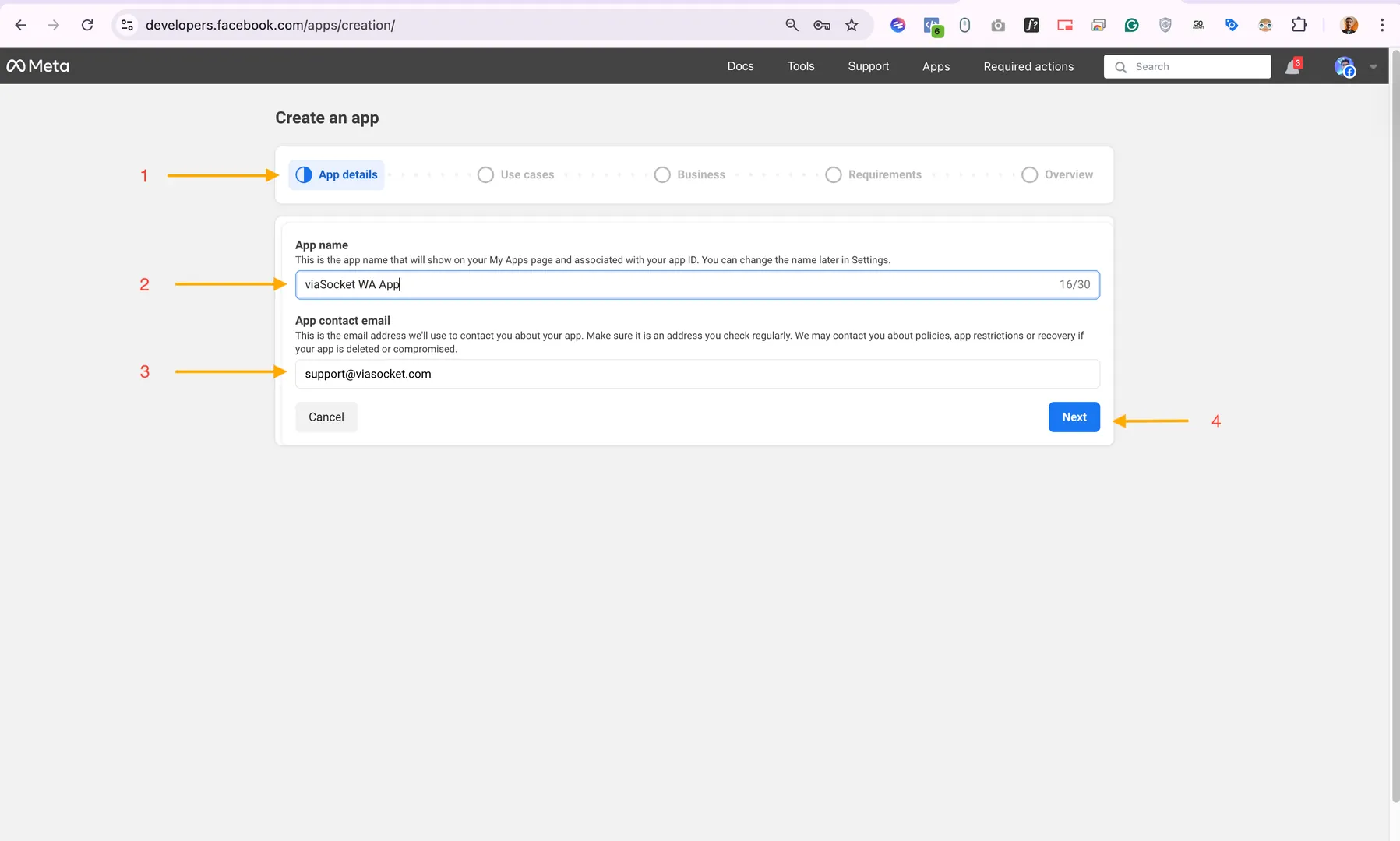
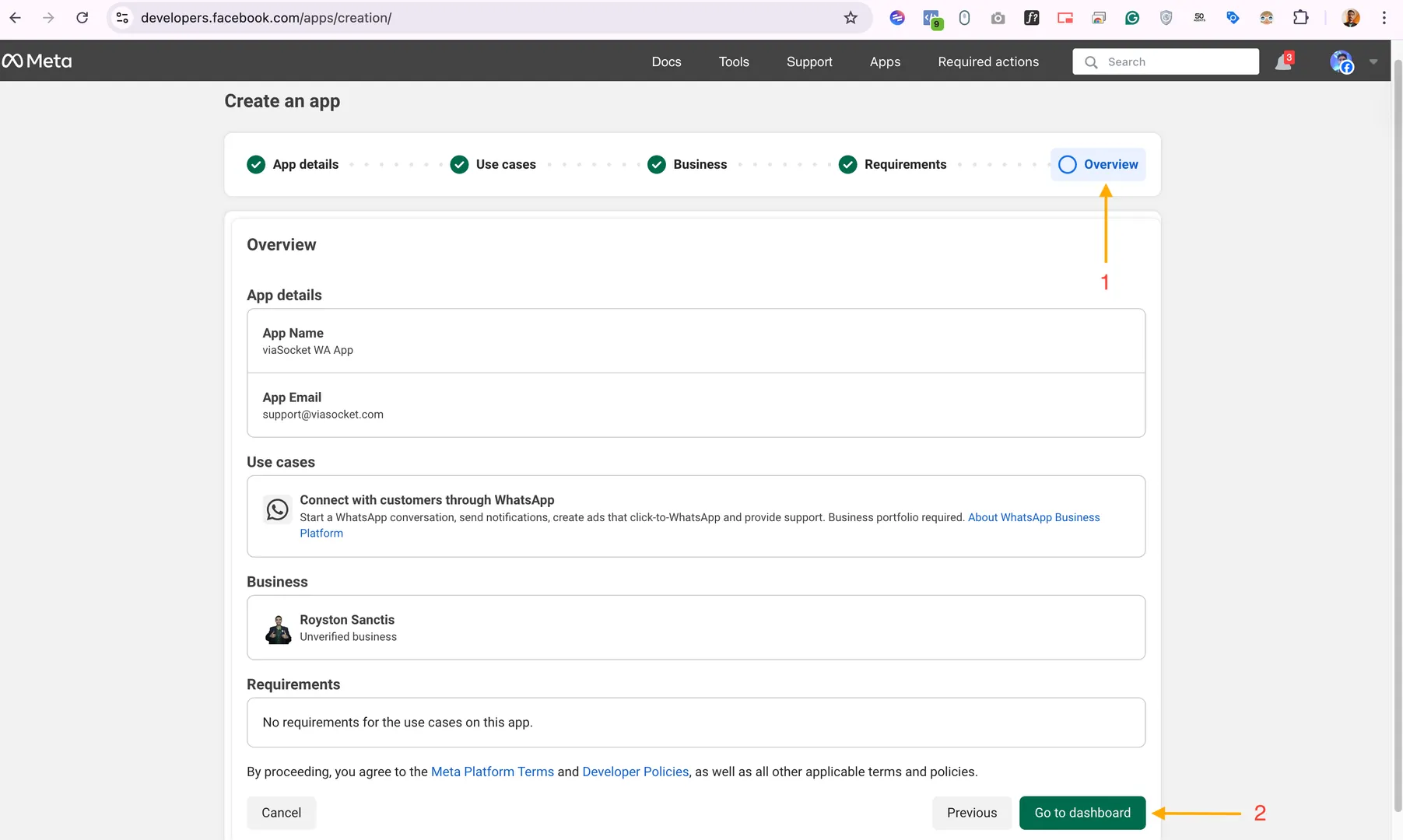
➋ Create the Meta App
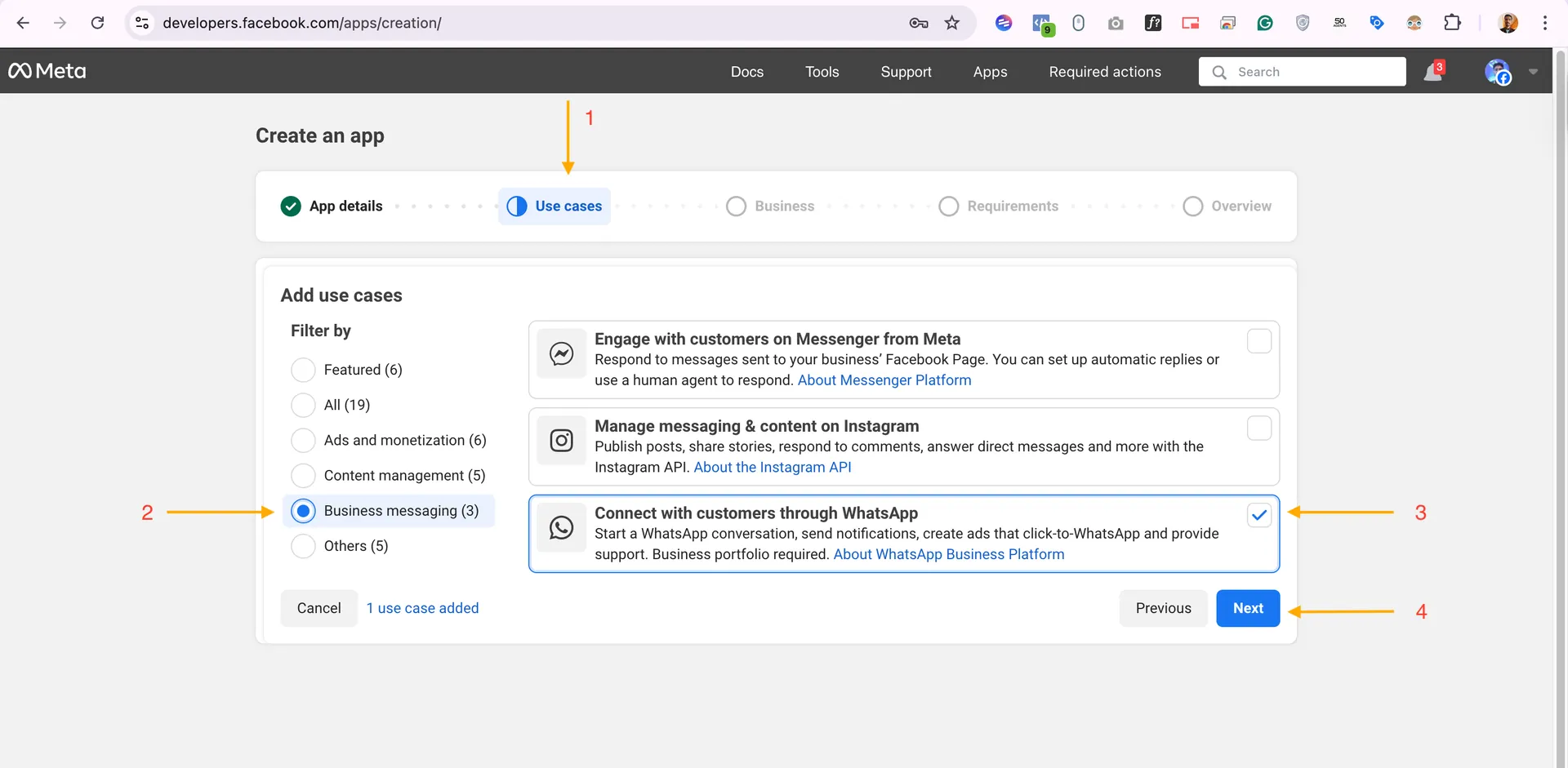
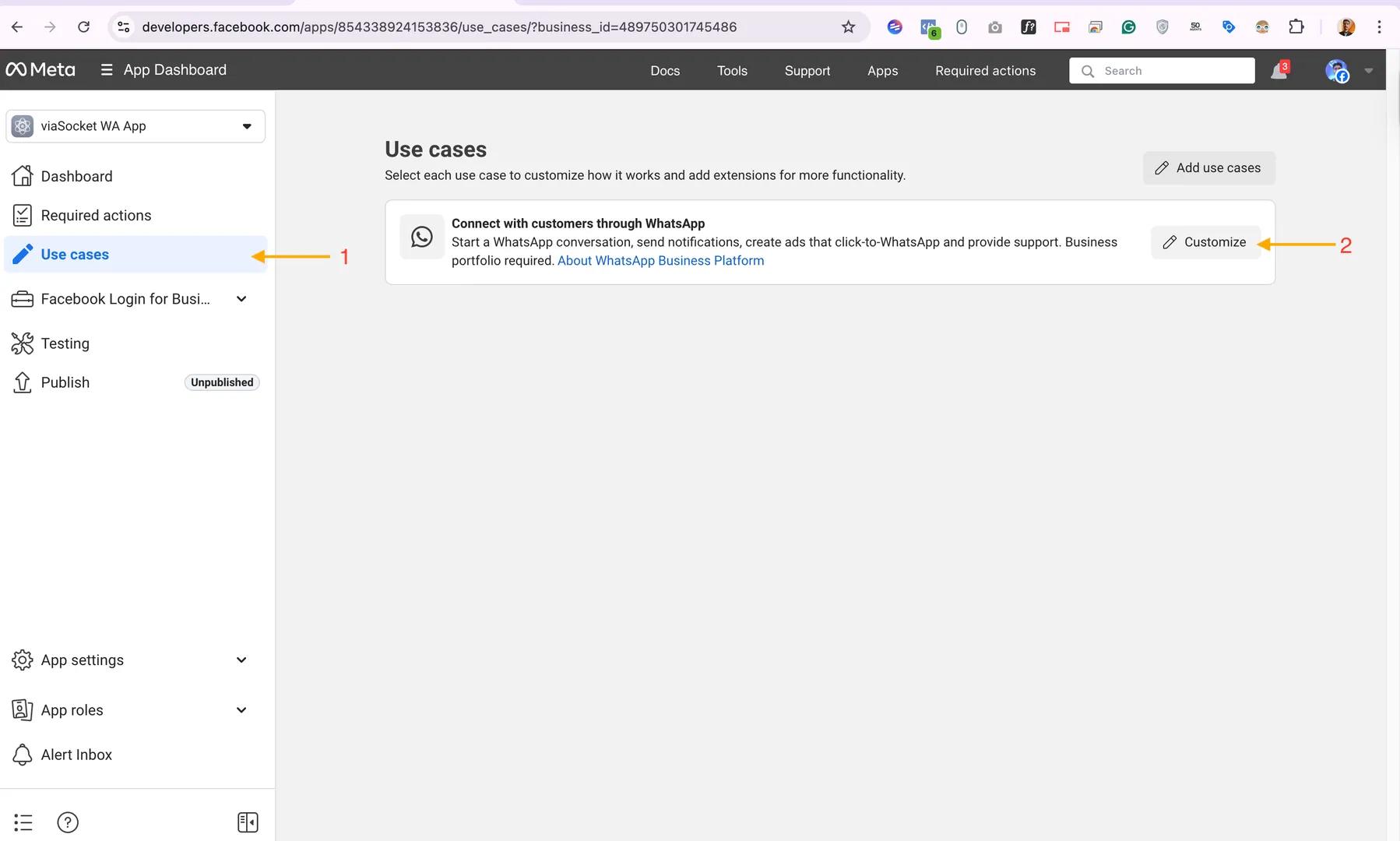
➌ Select the WhatsApp use case
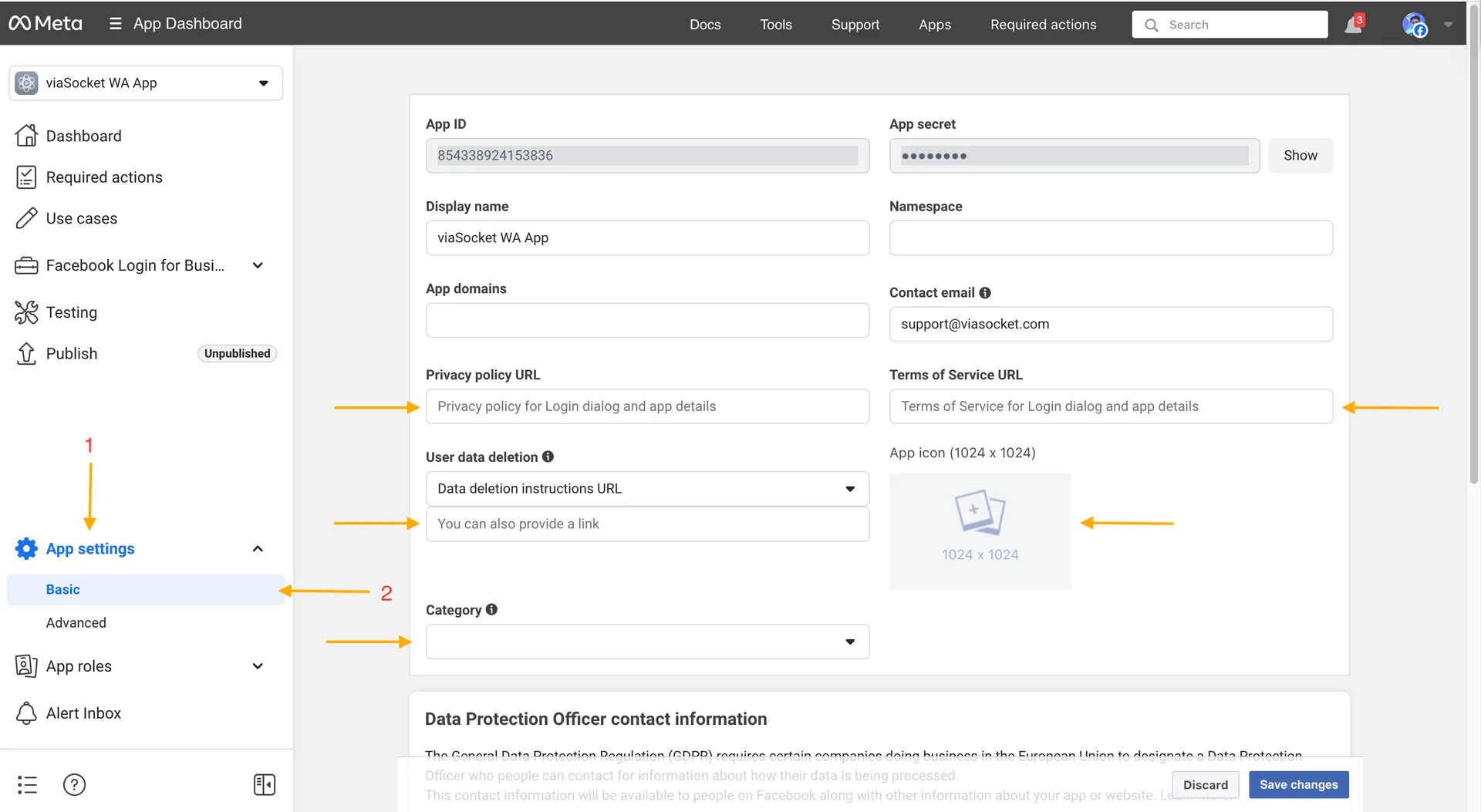
➍ Complete app settings
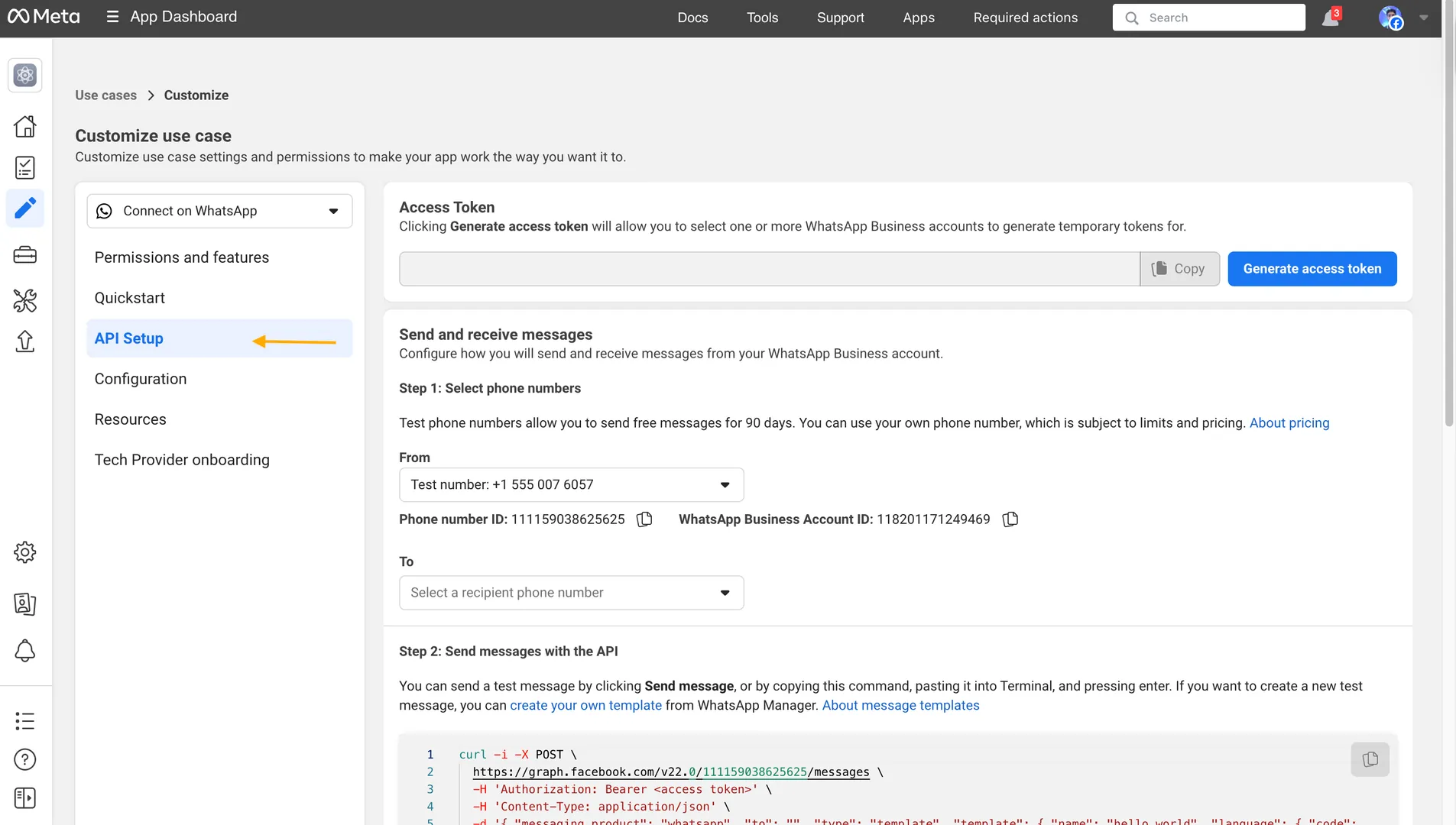
➎ API Setup panel
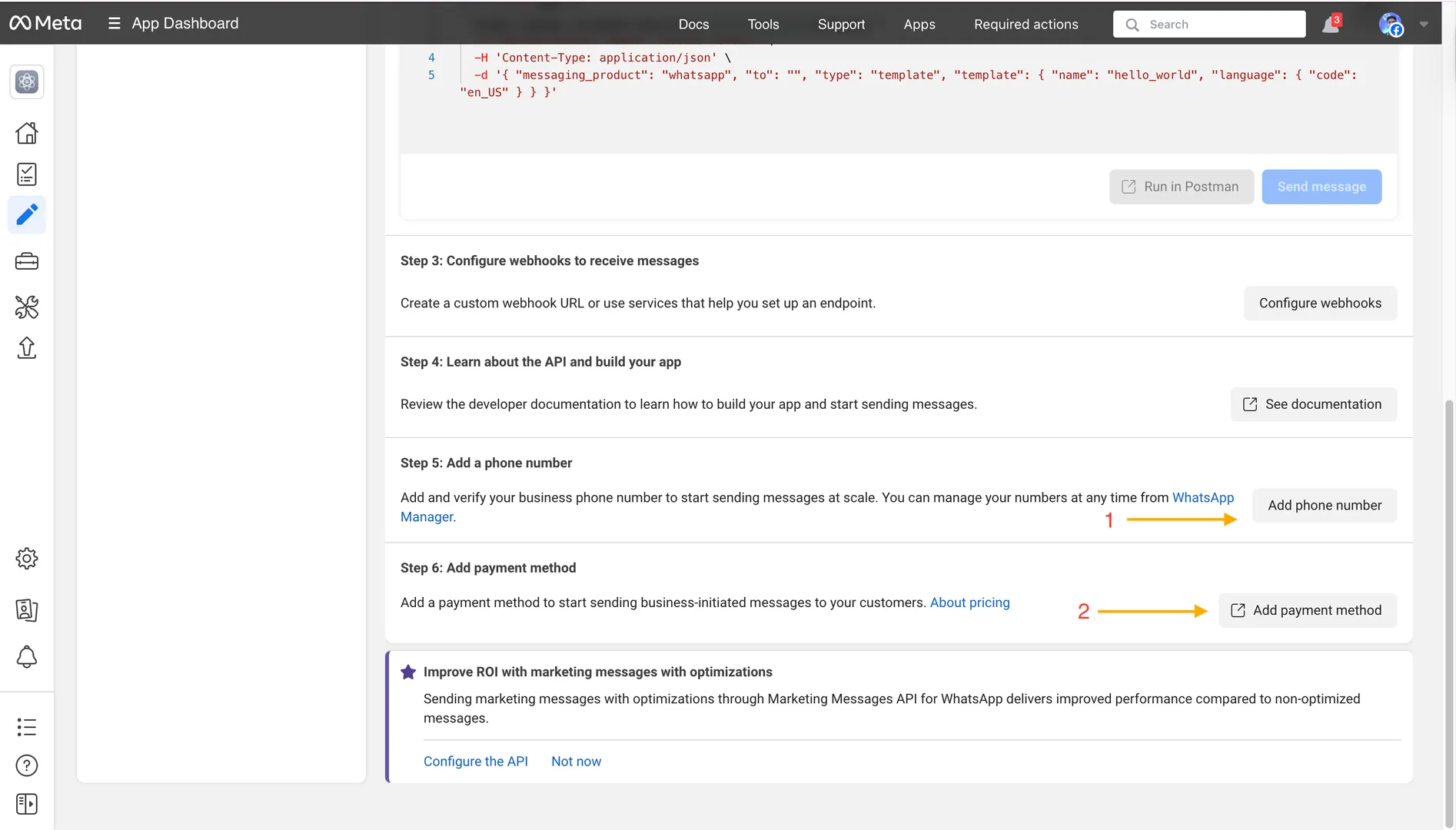
➏ Add a payment method
➐ Register your real phone number
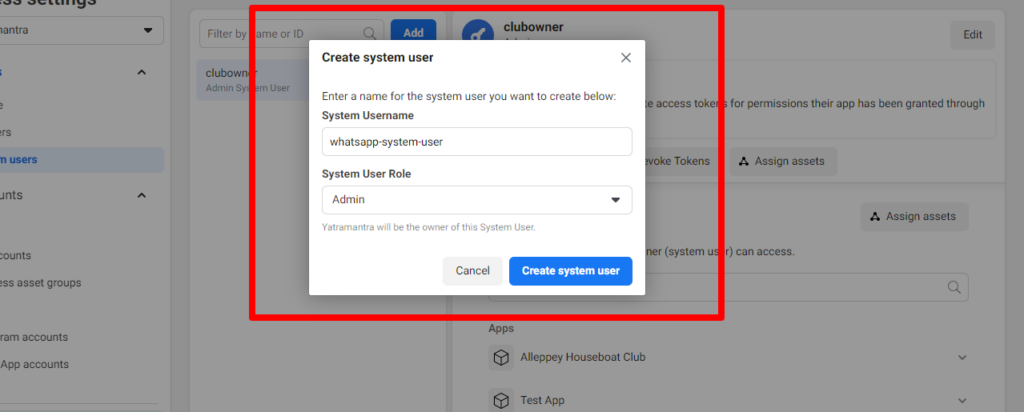
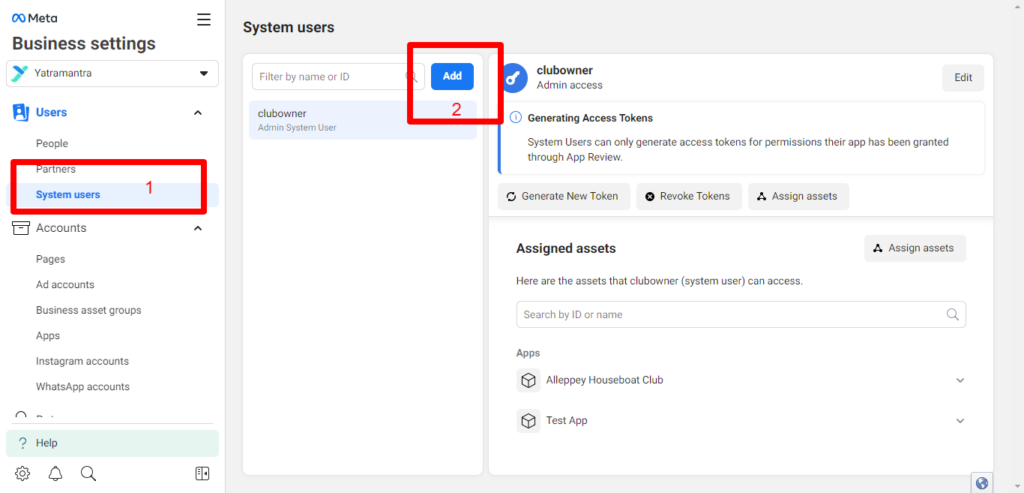
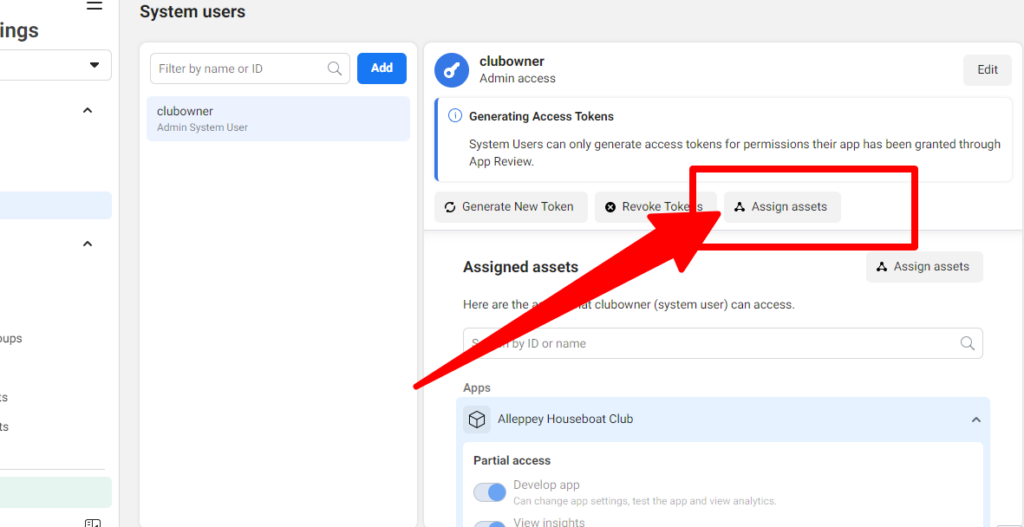
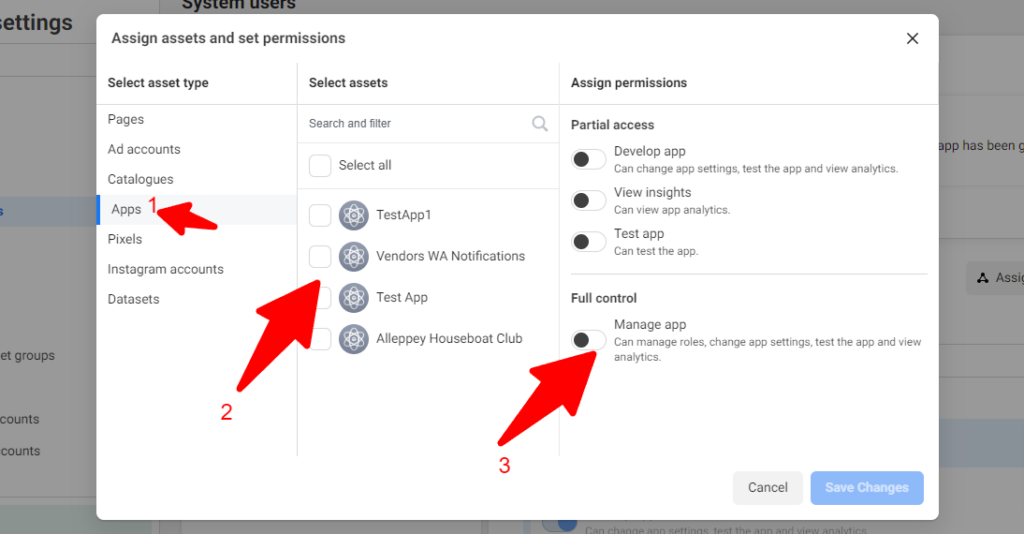
➑ Create a System User
➒ Generate a permanent token
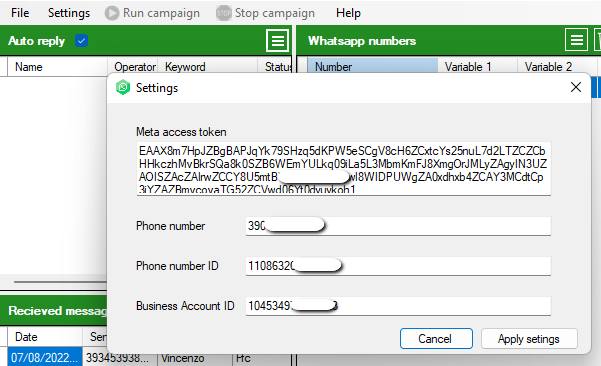
➓ Configure WinSender
💰 WhatsApp Cloud API Pricing
Updated according to Meta’s pricing change of July 1, 2025.
📅 July 2025 change: from conversation-based pricing to per-message pricing
Since July 1, 2025, Meta has moved away from the old system that charged a fee for each 24-hour conversation window. Now each individual template message sent is billed separately, based on its category and the recipient’s country. Free-form messages and Utility templates sent during an active service window remain free.
🆓 What remains free
- Free-form replies, including text, images, and audio, sent within 24 hours of the customer’s last message
- Utility templates sent during an active Customer Service Window
- All messages within 72 hours after a conversation started from a Click-to-WhatsApp ad
Template message categories
Indicative rates for Marketing messages, USD per message
| Country | Marketing | Utility | Authentication |
|---|---|---|---|
| 🇮🇹 Italy | ~$0.040 | ~$0.008 | ~$0.010 |
| 🇩🇪 Germany | ~$0.115 | ~$0.013 | ~$0.016 |
| 🇬🇧 United Kingdom | ~$0.038 | ~$0.008 | ~$0.009 |
| 🇺🇸 USA / Canada | ~$0.025 | ~$0.004 | ~$0.006 |
| 🇧🇷 Brazil | ~$0.0625 | ~$0.008 | ~$0.009 |
| 🇮🇳 India | ~$0.011 | ~$0.001 | ~$0.002 |
* Indicative rates, subject to change. Check the official Meta pricing page for updated values.
❓ Frequently Asked Questions
The token expires: what happens?
The temporary token from the API Setup panel expires every 24 hours. If you use it in WinSender, the software will stop working. That is why it is mandatory to use the permanent token generated through a System User, as explained in Steps 8-9 of this guide.
Can I use my personal mobile number?
Yes, but only if it is not already registered on WhatsApp. If it is, you must first delete that account from the mobile app, wait a few minutes, and then proceed with API registration.
How many messages can I send per day?
The initial limit is 1,000 unique contacts per day, also known as Tier 1. As you send messages and complete business verification, the limit increases automatically: Tier 2, 10,000 per day; Tier 3, 100,000 per day; and eventually unlimited.
Is it mandatory to add a credit card?
Yes. Since 2024, Meta requires a payment method in order to use real phone numbers and leave the sandbox. Nothing is charged until you exceed the free allowance, but the card must be added to unlock full access.
Does the official API really prevent bans?
Yes. Unlike unofficial methods that simulate WhatsApp Web, the Cloud API uses Meta’s official servers, eliminating the risk of bans caused by automation. However, you must still comply with the WhatsApp Business policies: no spam and explicit opt-in from contacts.
Need help?
If you experienced problems during setup or want to learn more about WinSender, our team is available to help.